
QuickDocs

We’re excited to bring you two highly anticipated improvements in Voyages! You can now easily substitute a Documentary Instruction into a new voyage, while the new Bulk Substitutions functionality makes it faster than ever to manage multiple seller substitutions in one go.
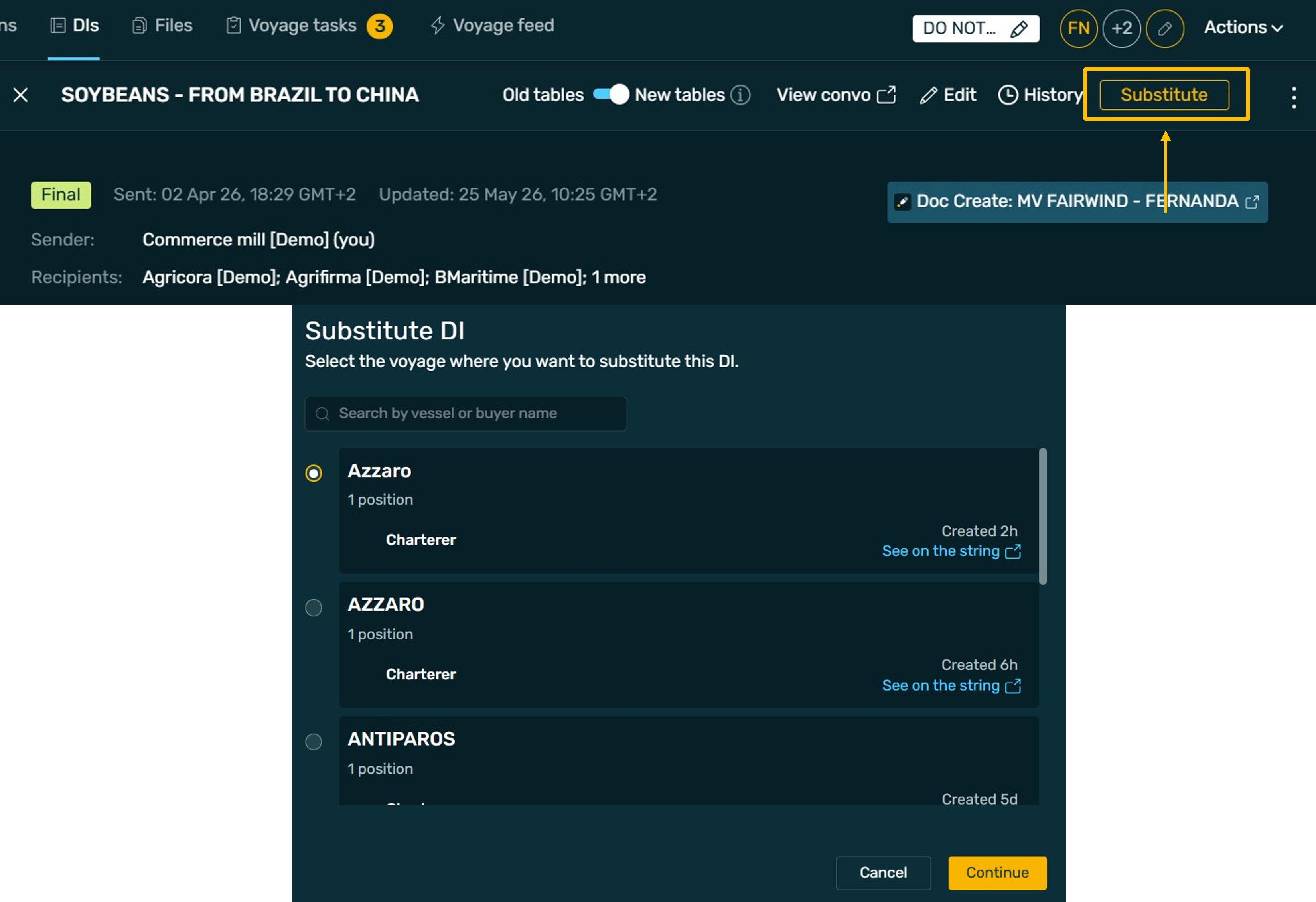
Managing DIs across voyages is now faster and more seamless with the new DI Substitute functionality.
With the new Substitute button in the top toolbar, DI creators can quickly carry an existing DI into a new voyage. Simply select the destination voyage and a new DI is created with all the existing content already populated, ready for you to review, adjust where needed — including recipients — and send.
Once sent:
A quicker, more intuitive way to manage DI substitutions while keeping information consistent and connected across voyages.
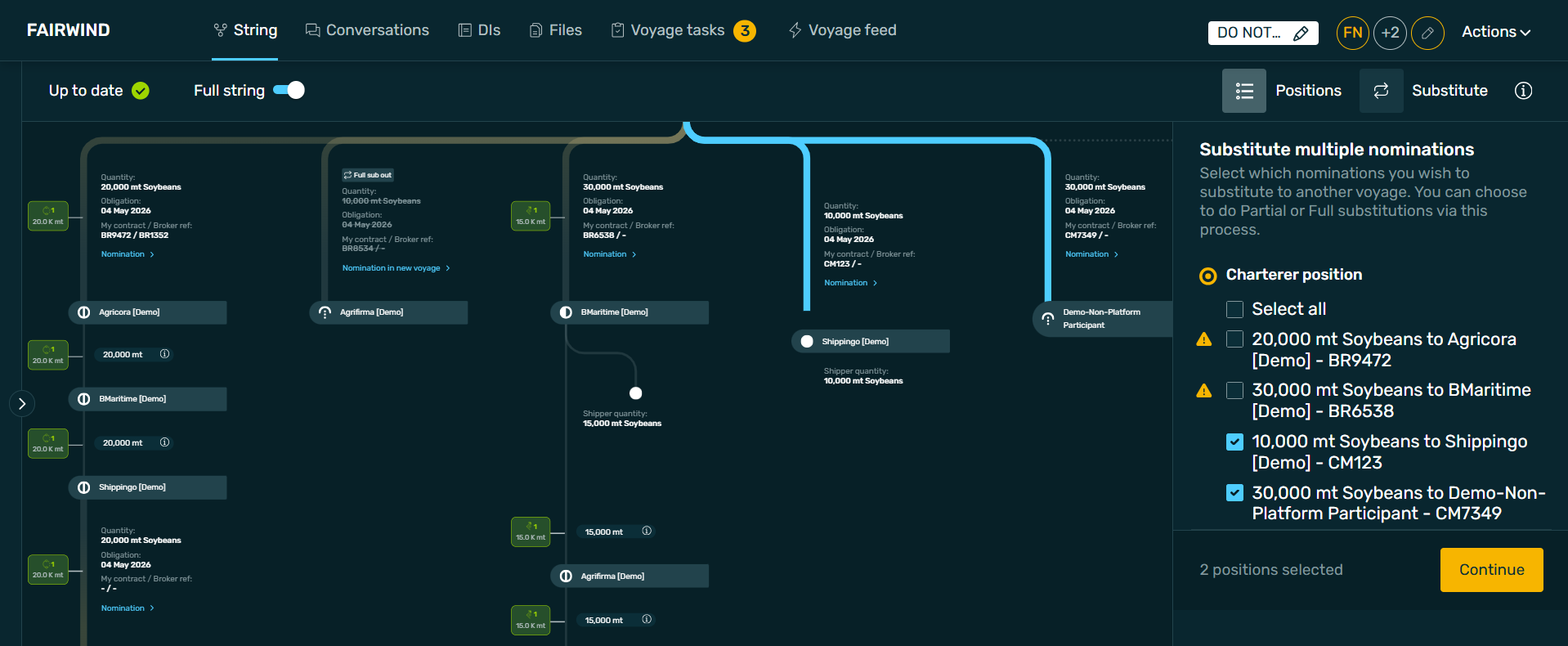
Need to substitute multiple sellers? You can now do it in one go.
Select multiple sellers from the same position directly from the string. As you make your selection, the relevant string branches are highlighted, with warnings for any strings involved in circles or bypasses. Once selected, you can move them all together in a single action.
You can:
This makes larger substitution workflows significantly quicker while still giving you control over every individual instruction.
Your workflows now faster, more intuitive, and easier to manage.
 As always, we’d love to hear your feedback as you start using the new features!